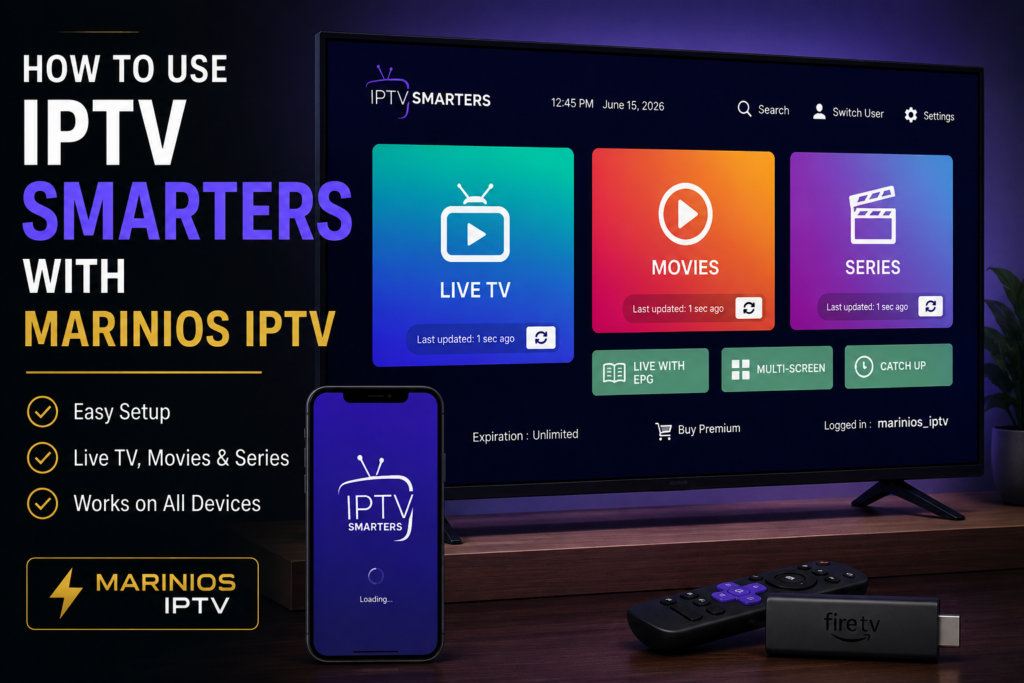
How to Use IPTV Smarters with Marinios IPTV
Using IPTV Smarters with Marinios IPTV is one of the easiest ways to watch live TV, sports, movies, and series on your favorite device. IPTV Smarters is popular because it has a simple interface, supports Xtream Codes login, and works on many devices such as Android TV, Firestick, smartphones, tablets, and some smart TVs.
In this guide, you will learn how to install IPTV Smarters, add your Marinios IPTV subscription details, organize your channels, fix common problems, and improve your streaming quality.Marinios IPTV Subscription Plans
Before you start: Make sure you already have an active Marinios IPTV subscription. If you do not have one yet, visit our Marinios IPTV Subscription Plans or contact our Marinios IPTV Support.
What Is IPTV Smarters?
IPTV Smarters is an IPTV player app that allows users to watch content from their own IPTV subscription. It does not provide channels by itself. Instead, you need to add your own IPTV login details, such as an M3U playlist link or Xtream Codes information.
For Marinios IPTV users, IPTV Smarters is useful because it supports live TV, movies, series, and a clean category-based layout. It is a good choice for beginners who want a simple way to access their IPTV service.
You can search for IPTV Smarters or a compatible Smarters-style IPTV player on the Google Play Store.
What You Need to Use Marinios IPTV on IPTV Smarters
Before setting up IPTV Smarters, prepare the following:
- An active Marinios IPTV subscription
- Your IPTV username
- Your IPTV password
- Your server URL
- Or your M3U playlist link
- A stable internet connection
- A compatible device such as Android TV, Firestick, smartphone, tablet, or smart TV
If you do not know your login details, contact Marinios IPTV Support before starting the setup.
Step 1: Install IPTV Smarters on Your Device
The first step is to install IPTV Smarters or a compatible IPTV player on your device.
On Android TV or Android Box
- Open the Google Play Store.
- Search for IPTV Smarters or Smarters Player.
- Select the app.
- Click Install.
- Open the app after installation.
On Firestick
If IPTV Smarters is not available directly on your Firestick app store, you may need another installation method. For a complete guide, visit our article.
On Smartphone or Tablet
Open the app store on your device, search for a compatible IPTV Smarters player, install it, then open the app.
Step 2: Open IPTV Smarters
After installing the app, open IPTV Smarters. On the first launch, the app may ask you to accept terms or choose how you want to log in.
You may see options like:
- Login with Xtream Codes API
- Load Your Playlist or File/URL
- Play Single Stream
For most Marinios IPTV users, the best option is usually Login with Xtream Codes API because it is simple and gives access to live TV, movies, and series categories.
Step 3: Add Your Marinios IPTV Login Details
Choose Login with Xtream Codes API. Then enter your Marinios IPTV details carefully.
- Any Name: Marinios IPTV
- Username: Enter the username provided by Marinios IPTV
- Password: Enter your Marinios IPTV password
- Server URL: Enter the server URL provided with your subscription
After entering the details, click Add User or Login.
Important: Make sure there are no extra spaces before or after your username, password, or server URL. One small mistake can stop the playlist from loading.
Step 4: Wait for Marinios IPTV Content to Load
After logging in, IPTV Smarters will start loading your Marinios IPTV content. This can include:
- Live TV channels
- Sports channels
- Movies
- Series
- TV guide, if available
The loading time depends on your internet speed and the device you are using. If the app takes too long, restart the app and try again.
Step 5: Start Watching Marinios IPTV
Once everything loads, you can choose the section you want to watch. Open Live TV for channels, Movies for VOD, or Series for TV shows.
You can also use the search option to find a specific channel, movie, or category faster.
For more setup guides, visit our Marinios IPTV Installation Guide.
Best Settings for IPTV Smarters with Marinios IPTV
To get the best performance from Marinios IPTV on IPTV Smarters, adjust these settings:
Use Hardware Decoder
Inside IPTV Smarters settings, try enabling hardware decoder if your device supports it. This can help videos play more smoothly, especially on Android TV boxes and Firestick devices.
Use External Player If Needed
If some channels show a black screen or no sound, try using an external player such as VLC for Android. VLC is useful for opening network streams and playing different video formats.
Clear Cache Regularly
If IPTV Smarters becomes slow, go to your device settings and clear the app cache. This can help fix freezing, slow menus, and loading problems.
You can also read our guide: How to Fix Marinios IPTV Buffering Problems.
How to Fix IPTV Smarters Not Working with Marinios IPTV
If IPTV Smarters is not working correctly with Marinios IPTV, try these solutions.
1. Check Your Login Details
Most login problems happen because the username, password, or server URL is typed incorrectly. Copy and paste the details exactly as provided by Marinios IPTV.
2. Restart Your Device
Restart your Android TV, Firestick, smart TV, or phone. Then open IPTV Smarters again and try to log in.
3. Check Your Internet Connection
A weak connection can cause channels not to load. For better streaming, use a strong Wi-Fi connection or connect your device using Ethernet if possible.
4. Update the App
Make sure your IPTV Smarters app is updated. App updates can fix bugs and improve compatibility with newer devices.
5. Try Another IPTV Player
If IPTV Smarters does not work well on your device, you can try TiviMate IPTV Player for Android TV or VLC for testing M3U playlist links.
IPTV Smarters vs TiviMate for Marinios IPTV
Both IPTV Smarters and TiviMate can work well with Marinios IPTV, but they are different.
IPTV Smarters is better for beginners because the login process is simple and the layout is easy to understand.
TiviMate is better for Android TV users who want a more premium TV-style interface, advanced playlist management, and better remote-control navigation.
If you are using Android TV, TiviMate may feel more professional. If you are using a phone, tablet, or simple setup, IPTV Smarters is usually easier.
Is IPTV Smarters Safe to Use?
IPTV Smarters is only a player. It does not create or provide IPTV channels by itself. To stay safe, download apps from trusted sources like the Google Play Store when possible, avoid unknown APK websites, and only use IPTV content that you are legally allowed to access in your country.
Final Thoughts
Using IPTV Smarters with Marinios IPTV is simple when you have the correct login details. Install the app, choose Xtream Codes login, enter your Marinios IPTV username, password, and server URL, then wait for your live TV, movies, and series to load.
For the best experience, use a stable internet connection, keep the app updated, clear cache when needed, and try another player like TiviMate or VLC if your device has playback issues.
Ready to start watching? Visit our Marinios IPTV Subscription Plans or contact Marinios IPTV Support for help with your setup.
FAQ: IPTV Smarters with Marinios IPTV
Can I use Marinios IPTV on IPTV Smarters?
Yes. You can use Marinios IPTV on IPTV Smarters by entering your Xtream Codes login details or M3U playlist link.
What is the best login method for Marinios IPTV?
The easiest method is usually Xtream Codes API because it organizes live TV, movies, and series inside the app.
Why is IPTV Smarters not loading my channels?
This can happen because of incorrect login details, weak internet, an expired subscription, or app cache problems.
Can I use VLC with Marinios IPTV?
Yes. VLC can be useful for opening network streams or testing M3U links, but IPTV Smarters and TiviMate are usually better for full IPTV navigation.
Is IPTV Smarters better than TiviMate?TiviMate
IPTV Smarters is easier for beginners, while TiviMate is better for Android TV users who want a premium TV-style interface.